
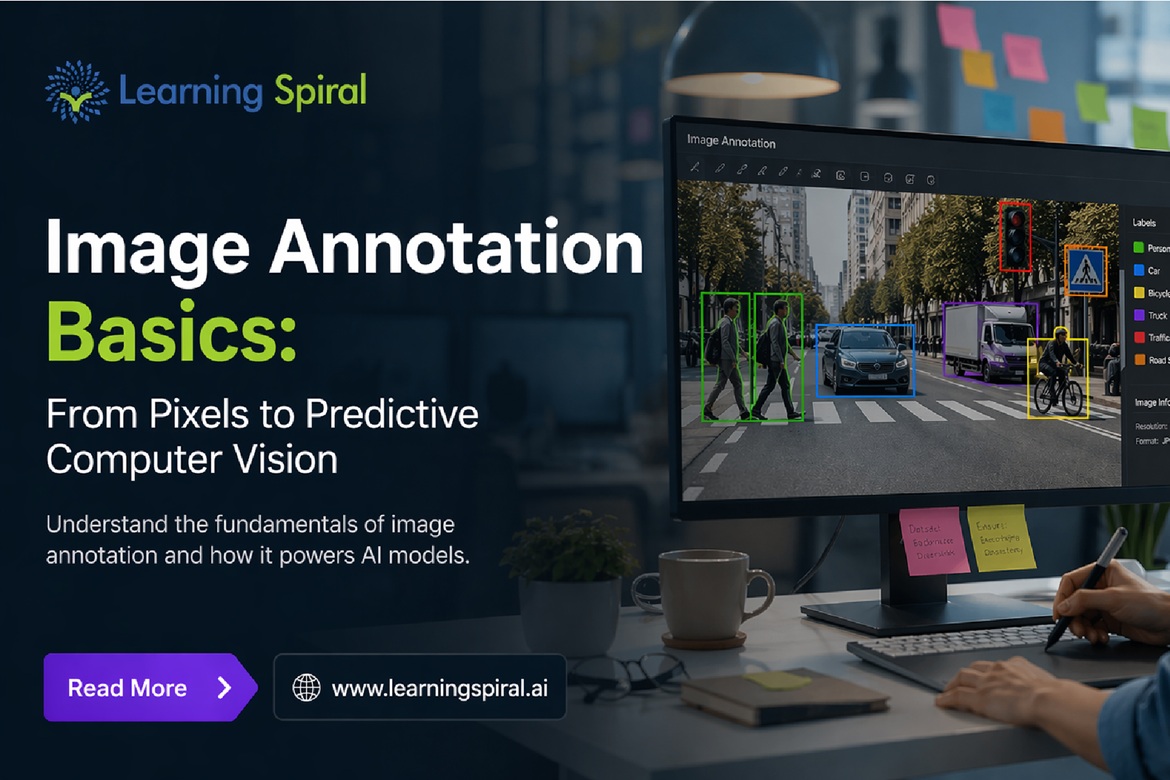
A computer can capture millions of pixels in an image, but pixels alone do not tell an AI model what it is looking at.
A pedestrian is simply a collection of colors. A damaged crop leaf is another pattern of pixels. A vehicle, medical scan, warehouse package or robotic component has no meaning until the machine learns how specific visual patterns relate to real-world objects and concepts.
That is where image annotation becomes critical.
Image annotation converts raw visual data into structured, labeled information that computer vision models can learn from. It creates the connection between what humans see naturally and what artificial intelligence needs to understand mathematically.
As organizations build increasingly advanced vision systems, reliable Image Annotation Services, precise data labeling, and scalable AI Training Data Services are becoming fundamental parts of the AI development lifecycle.
What You Will Learn
This guide explains:
- What image annotation actually means
- How pixels become machine-readable labels
- Major image annotation techniques
- The difference between data labeling and annotation
- How annotation affects model performance
- How different industries use annotated visual datasets
- Why Human in the Loop workflows matter
- How an annotation project moves from raw data to model-ready datasets
- What to evaluate when selecting an annotation partner
1. What Is Image Annotation?
image annotation is the process of identifying, labeling or outlining relevant objects, regions, features or attributes within an image so that a machine learning model can understand what the image contains.
Consider an autonomous driving image containing:
- A car
- Two pedestrians
- A traffic signal
- A bicycle
- A road boundary
To a person, these objects are immediately recognizable.
To a computer vision model that has not yet been trained, the image is essentially an array of pixel values.
Annotation adds meaningful labels such as:
carpedestrianbicycletraffic_lightroad
Once thousands or millions of accurately labeled examples are provided, the model can begin learning visual patterns associated with those objects.
This is why high-quality image labeling is one of the foundations of supervised computer vision.
2. From Pixels to Predictions: How Image Annotation Works
The journey from an ordinary image to a computer vision prediction can be understood in five stages.
1. Raw Images Are Collected
Images may originate from:
- Cameras
- CCTV systems
- Smartphones
- Drones
- Satellites
- Industrial cameras
- Medical imaging systems
- Robots
- Autonomous vehicles
- Wearable devices
At this stage, the visual data may be rich in information but contains no structured interpretation for the machine.
2. Annotation Guidelines Are Created
Before annotators begin working, the annotation team must clearly define what should and should not be labeled.
Guidelines may specify:
- Which objects need labels
- Which class names should be used
- How partially visible objects should be treated
- How overlapping objects should be handled
- Minimum object size
- Boundary precision
- Handling of blurry objects
- Treatment of unusual edge cases
Clear annotation guidelines reduce inconsistencies between annotators.
3. Objects or Regions Are Labeled
Annotators identify relevant visual elements using techniques such as bounding boxes, polygons, segmentation masks or keypoints.
4. Quality Checks Are Performed
Annotations are reviewed for:
- Missing objects
- Incorrect labels
- Poor boundaries
- Duplicate annotations
- Inconsistent class definitions
- Incorrect handling of edge cases
5. The Dataset Trains the Model
The finished Dataset for Machine Learning provides examples from which the computer vision model learns.
Over time, the model learns the relationship between visual features and the labels assigned during annotation.
The result is the transition from raw pixels to predictive computer vision.
3. Major Types of Image Annotation
Different computer vision problems require different annotation methods. Choosing the wrong annotation technique can create unnecessary cost or prevent a model from learning the information it actually needs.
1. Image Classification and Image Labeling
Image classification assigns a label to an entire image.
For example:
- Healthy crop
- Diseased crop
- Cat
- Dog
- Damaged package
- Undamaged package
This is one of the simplest forms of image labeling and works well when the AI only needs to determine the overall category represented by an image.
2. Bounding Box Annotation
Bounding Box Annotation uses rectangular boxes to identify objects and their approximate locations.
For example, an autonomous driving dataset may contain separate bounding boxes around:
- Cars
- Trucks
- Cyclists
- Pedestrians
- Traffic signs
Bounding boxes are widely used for object detection because they offer a practical balance between annotation speed and spatial information.
3. Polygon Annotation
Not every object fits neatly inside a rectangle.
Polygon annotation allows annotators to trace irregular object boundaries more precisely.
It can be useful for:
- Buildings
- Vegetation
- Road surfaces
- Machinery
- Damaged product areas
- Agricultural fields
- Irregular industrial components
4. Semantic Segmentation
Semantic segmentation assigns a class to individual pixels.
Instead of simply identifying that a vehicle exists, segmentation can label the exact pixels belonging to the vehicle.
It is particularly valuable for applications requiring highly detailed scene understanding.
Examples include:
- Autonomous navigation
- Medical imaging
- Satellite imagery
- Agriculture
- Robotics
5. Instance Segmentation
Instance segmentation goes a step further by differentiating between individual objects belonging to the same class.
If five people appear in one image, semantic segmentation may classify all five as “person.”
Instance segmentation identifies each individual person separately.
6. Keypoint and Landmark Annotation
Keypoints mark specific positions on an object.
Applications include:
- Human pose estimation
- Facial landmark detection
- Hand tracking
- Sports analytics
- Gesture recognition
- Robotics
A human body dataset, for instance, may contain points representing shoulders, elbows, wrists, hips, knees and ankles.
7. 3D Cuboids and Spatial Annotation
Three-dimensional cuboids provide additional depth and orientation information.
They can be useful for:
- Autonomous vehicles
- Robotics
- Warehouse automation
- Spatial intelligence
For even more detailed spatial understanding, 3D point cloud annotation and Lidar Annotation can label objects inside three-dimensional sensor-generated environments.
4. Data Annotation, Data Labeling and Image Annotation: What Is the Difference?
The terms are related but not identical.
data annotation is the broader process of adding meaningful information to data so machine learning systems can interpret it.
It can include:
- Image Annotation
- Video Annotation
- Audio Annotation
- Text Annotation
- Medical data annotation
- 3D point cloud annotation
- Sentiment Analysis
Data labeling is often used interchangeably with annotation, particularly when assigning predefined categories or classes to data.
Image annotation specifically focuses on visual images.
Therefore, an experienced Data Annotation Company or Data Labeling Company may support many different data formats instead of working only with images.
Organizations developing multimodal AI may consequently require combined Data labeling & annotation services covering images, video, text, audio and 3D data.
5. Why Annotation Quality Directly Affects Computer Vision
Computer vision systems learn from examples.
If those examples are incomplete, inconsistent or incorrectly labeled, the model learns from those mistakes too.
Imagine an autonomous vehicle dataset where some pedestrians are labeled and others are ignored.
The model may begin learning that certain types of pedestrians are less important or should not be detected.
Similar problems can appear when:
- Annotation boundaries are inaccurate
- Classes overlap
- Labels are inconsistently named
- Difficult objects are skipped
- Annotators interpret guidelines differently
- Important edge cases are missing
This is why companies evaluating Computer Vision Companies in India and annotation partners should look beyond the total number of labels produced.
Consistency, guideline quality, reviewer expertise, dataset diversity and quality assurance can be equally important.
6. Where Image Annotation Is Used
Image annotation has moved far beyond simple object-recognition experiments.
Today it supports real-world AI applications across multiple industries.
Image Annotation for Autonomous Vehicles
Autonomous and advanced driver-assistance systems may need to recognize:
- Vehicles
- Pedestrians
- Cyclists
- Traffic lights
- Lane markings
- Road signs
- Obstacles
- Drivable areas
Different combinations of bounding boxes, segmentation, keypoints, 3D data and LiDAR may be required.
Image Annotation for Agriculture
Agricultural computer vision can analyze:
- Crops
- Weeds
- Pests
- Leaf diseases
- Fruit maturity
- Plant growth
- Field boundaries
- Soil conditions
Accurate Image annotation for agriculture can support crop monitoring, precision agriculture and automated agricultural machinery.
Image Annotation for Retail
Retail applications may use annotation for:
- Product recognition
- Shelf monitoring
- Inventory analysis
- Visual search
- Checkout automation
- Product recommendation systems
Accurate Image annotation for retail helps AI distinguish between visually similar products and packaging.
Image Annotation for Logistics
Warehouses and logistics operations can use visual AI for:
- Package detection
- Barcode regions
- Parcel damage detection
- Pallet tracking
- Inventory movement
- Loading and unloading analysis
- Safety monitoring
This makes Image annotation for logistics relevant to both warehouse intelligence and supply-chain automation.
Image Annotation for Aerial Applications
Drone and satellite imagery can require labels for:
- Buildings
- Roads
- Vehicles
- Crops
- Water bodies
- Infrastructure
- Construction areas
- Land-use classes
Image Annotation for aerial datasets can support mapping, agriculture, infrastructure planning and environmental analysis.
Image Annotation for Sports and Games
Sports computer vision may identify:
- Players
- Balls
- Equipment
- Field boundaries
- Player poses
- Actions
- Movement trajectories
Image annotation for sports and games enables performance analytics, automated highlights, tracking and immersive gaming experiences.
Medical Annotation
Healthcare AI has unique annotation requirements.
Medical Annotation may involve:
- X-rays
- CT scans
- MRI scans
- Pathology images
- Ultrasound
- Clinical documents
- Procedure videos
Medical annotation typically requires particularly careful guidelines, domain knowledge and secure data workflows.
7. Image Annotation for Robotics and Physical AI
One of the most important developments in computer vision is the growth of machines that interact directly with the physical world.
Robots need more than object recognition.
They may need to understand:
- Object location
- Object orientation
- Human actions
- Hand positions
- Grasp points
- Free space
- Obstacles
- Tools
- Spatial relationships
This has increased demand for Image Annotation for Robotics, video annotation, keypoint annotation, depth information and 3D annotation.
For robotic learning, Egocentric Data Collection can also provide first-person visual data showing tasks from the viewpoint of the human or machine performing them.
Such datasets can be valuable for modern Physical AI Data Collection, wearable AI, manipulation systems and intelligent assistants.
8. Why Human in the Loop Still Matters
Automation can accelerate annotation, especially when an existing model generates preliminary labels.
But automation does not eliminate difficult visual cases.
Models may struggle with:
- Occlusion
- Low lighting
- Motion blur
- Unusual object shapes
- Rare classes
- Tiny objects
- Crowded scenes
- Ambiguous boundaries
This is where Human in the Loop (HITL) becomes valuable.
A typical HITL workflow may operate as follows:
- An AI model creates preliminary annotations.
- Human annotators inspect the predictions.
- Incorrect labels are corrected.
- Missing objects are added.
- Difficult cases are escalated to experienced reviewers.
- The corrected dataset is returned for model training.
- New model failure cases are collected for another annotation cycle.
Instead of treating humans and automation as competitors, successful workflows often use each where it performs best.
9. What a Professional Data Annotation Project Should Include
Successful Data annotation projects require much more than assigning images to annotators.
A scalable annotation project usually includes several structured stages.
1. Define the AI Objective
Start by identifying what the model must predict.
An object detection project needs different labels from a segmentation or classification project.
2. Analyze the Raw Dataset
Review:
- Image resolution
- Camera angles
- Scene diversity
- Object frequency
- Class imbalance
- Difficult examples
- Possible sensitive information
3. Build Annotation Guidelines
Create visual examples of:
- Correct annotations
- Incorrect annotations
- Edge cases
- Occluded objects
- Ambiguous examples
4. Run a Pilot
A pilot helps identify unclear instructions before annotation scales to hundreds of thousands of images.
5. Measure Annotator Agreement
If multiple annotators interpret the same image differently, the guidelines may need improvement.
6. Add Multi-Level Quality Assurance
QA can combine:
- Automated validation rules
- Peer review
- Senior reviewer checks
- Sampling
- Gold-standard datasets
- Client feedback
7. Track Production Quality
Teams should monitor both throughput and accuracy rather than optimizing only for annotation volume.
8. Continuously Improve the Dataset
When a trained model fails on specific scenarios, those scenarios should influence the next data collection and annotation cycle.
This creates a feedback loop between model performance and annotation strategy.
10. Common Image Annotation Mistakes That Hurt AI Models
Even well-funded annotation projects can fail when fundamental process issues are ignored.
Watch for these common problems:
- Unclear annotation guidelines: Annotators cannot deliver consistent outputs when classes or boundaries are poorly defined.
- Ignoring edge cases: Rare scenarios often become critical once a model enters the real world.
- Prioritizing volume over accuracy: More labels do not automatically mean better training data.
- Using one annotation type for every problem: A bounding box may be enough for detection but inadequate for pixel-level perception.
- Poor dataset diversity: Models need relevant variations in lighting, geography, camera angles, demographics, environments and object appearance.
- Insufficient quality review: Annotation errors can multiply rapidly in large datasets.
- No feedback from model performance: Annotation should evolve as engineers discover where a model struggles.
11. How to Choose an Image Annotation Company
Selecting an Image Annotation Company should involve more than comparing price per image.
Organizations evaluating Image Annotation Companies in India or global annotation providers should consider whether the partner can provide:
- Custom annotation guidelines
- Experienced annotators
- Multi-level quality assurance
- Bounding Box Annotation
- Polygon annotation
- Segmentation
- Keypoint annotation
- Image Labeling
- Video Annotation
- Audio Annotation
- Text Annotation
- Lidar Annotation
- 3D point cloud annotation
- Domain-specific workflows
- Secure data handling
- Scalable production
- Transparent quality reporting
- Human-in-the-loop review
A capable Annotation company for AI should adapt its workflow to the model objective instead of forcing every project through the same annotation process.
12. Beyond Images: Building Complete AI Data Solutions
Modern AI is becoming increasingly multimodal.
A robotic system, for example, might simultaneously process video, audio, text instructions and spatial sensor information.
That means AI Data Solutions may involve several connected services, including:
- Image annotation
- Video Annotation
- Audio data annotation
- Text data annotation
- Sentiment Analysis
- Content Moderation
- LLM training data
- Physical AI Data Collection
- Egocentric Data Collection
- LiDAR Annotation
- 3D point cloud annotation
For organizations operating several annotation projects, working with an experienced Data Annotation Company can simplify quality standards, workforce scaling and data management across multiple modalities.
13. How Learning Spiral AI Supports AI Training Data Projects
Learning Spiral AI supports organizations that need structured, scalable data for computer vision, robotics, multimodal AI and machine learning applications.
Depending on project requirements, support can cover areas such as:
- Image Annotation Services
- Data Labeling Services
- Bounding Box Annotation
- Image Labeling
- Video Annotation
- Audio Annotation
- Text Annotation
- Medical Annotation
- LiDAR Annotation
- 3D point cloud annotation
- Human-in-the-loop workflows
- AI Training Data Services
- Dataset preparation and quality review
Whether a project involves agriculture, autonomous vehicles, retail, logistics, aerial imagery, healthcare, robotics or sports, the objective remains the same: turn complex raw data into clear, reliable information that an AI model can learn from.
14. The Future of Image Annotation
Computer vision is moving toward increasingly complex real-world environments.
Future AI systems will need to understand not only what an object is, but also:
- Where it is
- How it is moving
- How it interacts with other objects
- What action is occurring
- What may happen next
This will increase the importance of richer annotation formats, multimodal datasets, human feedback, synthetic data validation and model-assisted annotation.
Automation will continue to accelerate annotation, but high-quality human judgment will remain particularly important for ambiguous scenarios, complex domains and edge cases.
Conclusion: Better Predictions Begin With Better Labels
Computer vision does not begin with an algorithm alone.
It begins with data that teaches the algorithm what the world looks like.
Image annotation converts pixels into meaningful signals, enabling machines to identify objects, interpret scenes and ultimately make predictions.
Whether the application involves autonomous driving, agriculture, healthcare, retail, logistics, robotics or physical AI, the same principle applies:
Better training data creates a stronger foundation for better AI.
For organizations building production-grade computer vision systems, choosing reliable data annotation services, strong quality-control processes and scalable AI Training Data Services can make the difference between a promising prototype and an AI system capable of performing consistently in real-world conditions.
Frequently Asked Questions
1. What is image annotation in AI?
Image annotation is the process of adding labels, boundaries, categories, keypoints or other structured information to images so computer vision models can learn to identify visual patterns and objects.
2. What are the most common image annotation techniques?
Common techniques include image classification, bounding boxes, polygon annotation, semantic segmentation, instance segmentation, keypoint annotation and 3D cuboids.
3. What is the difference between image labeling and image annotation?
Image labeling often assigns a category to an entire image, while image annotation can include detailed information about specific objects, locations, boundaries or attributes within an image.
4. Why is bounding box annotation widely used?
Bounding boxes are relatively efficient to create while still providing object-location information, making them popular for object detection applications.
5. Can image annotation be automated?
AI models can generate prep-annotations, but human reviewers are often needed to correct uncertain predictions, resolve ambiguity and maintain consistent annotation standards.
6. What industries use image annotation services?
Image annotation is used in autonomous vehicles, agriculture, healthcare, retail, logistics, aerial mapping, sports analytics, robotics, security and industrial automation.
7. What should companies look for in a Data Labeling Company?
Companies should evaluate annotation accuracy, quality-control processes, guideline development, domain experience, security, scalability, reporting and support for different annotation techniques.
8. How does image annotation improve computer vision?
It provides labeled examples showing computer vision models which visual patterns correspond to particular objects, classes, locations or features, allowing the model to learn useful predictions from new images.